A little order. A lot more possibility.

Your AI workspace,
organized.

Good ideas deserve more than a lost chat. Keep your conversations, favorite answers and best prompts ready for whatever comes next.

For ChatGPT, Claude & Gemini · Chrome extension

Your next idea starts here
Your workspace ✦

Room for your
best ideas.

All those useful conversations.
Finally, a place to keep them.

▱
Next big projectA little inspiration, saved.
↗
✦
Ideas worth coming back toGemini · Research
☆
◎
A clearer first draftClaude · Writing
☆
◈
A fresh perspectiveChatGPT · Projects
☆
Illustrative workspace · Example content
AT HOME IN YOUR FAVORITE AI TOOLS
ChatGPT ✳ Claude ✦ Gemini

LESS SEARCHING. MORE CREATING.

Make your next chat
start one step ahead.

Bring a little structure to the tools you already use.

01 / CONVERSATION FOLDERS

Find the thought.
Keep the momentum.

Save conversations into folders for your projects, research and everyday work. Add notes and pin the chats you want to return to.

A place for every project
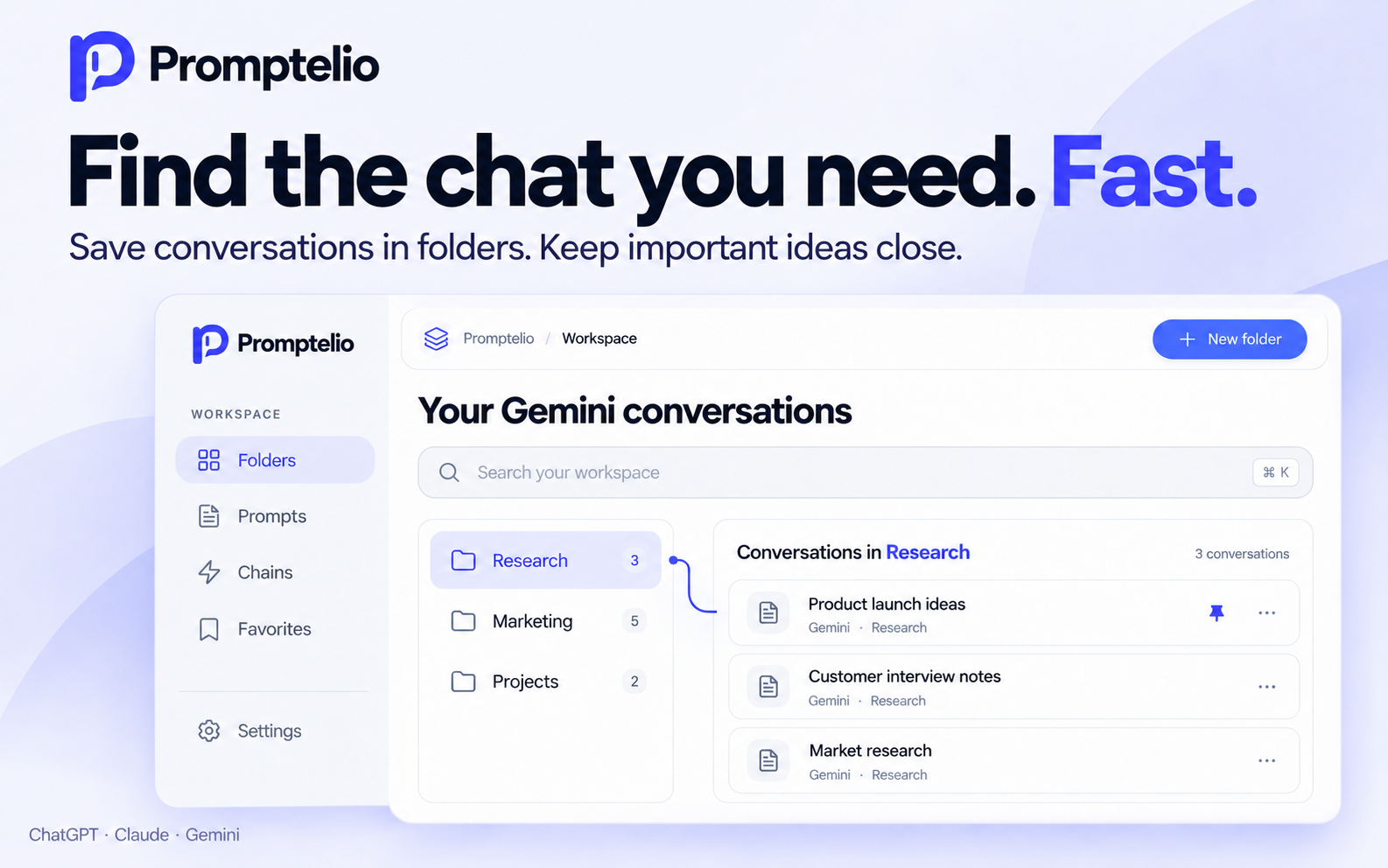
Promptelio promotional illustration of conversation folders and saved chats
Product illustration with example content.
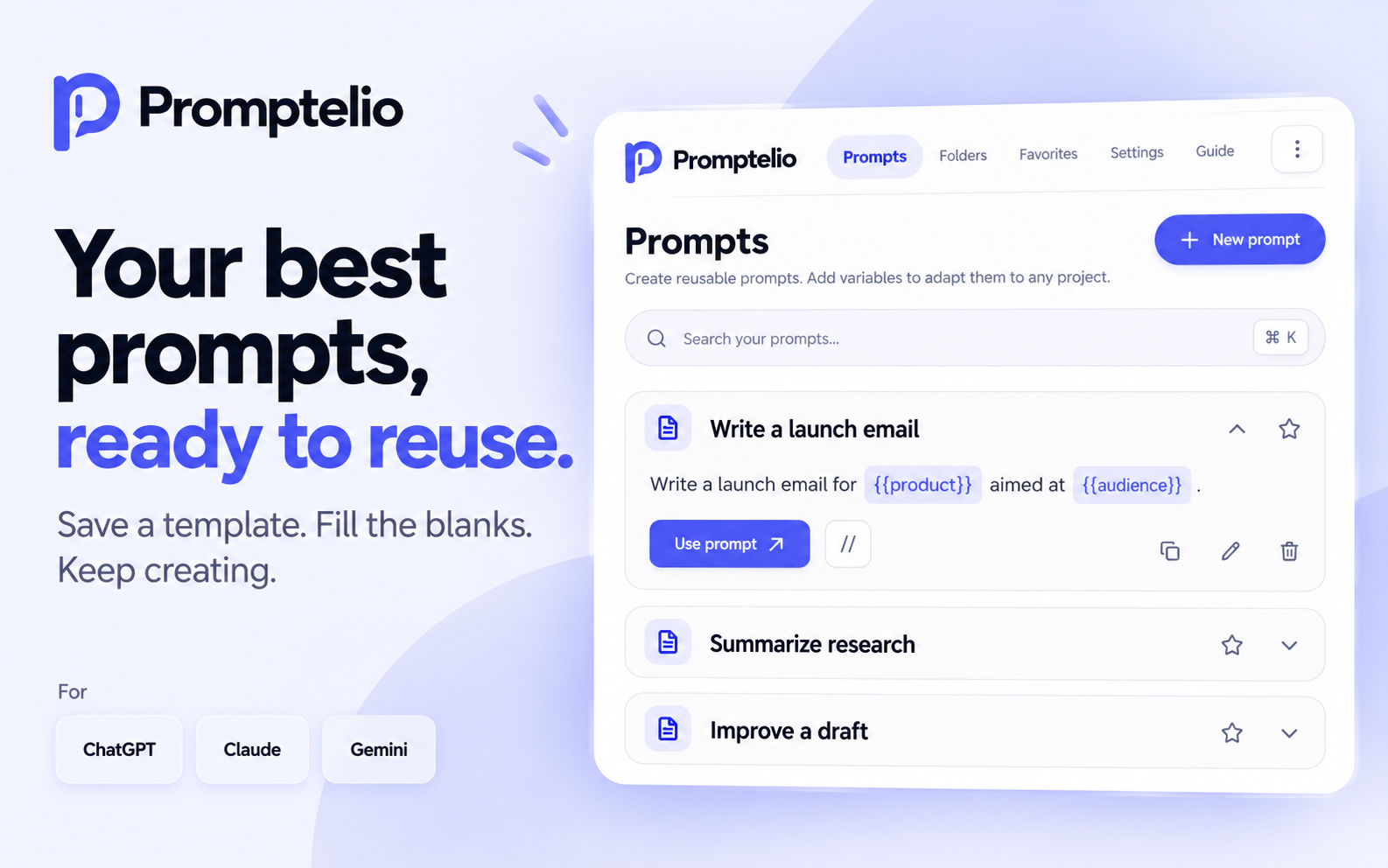
02 / REUSABLE PROMPTS

Your best prompts.
Ready for an encore.

Turn a useful prompt into a reusable template. Add variables, fill in the details and bring your favorite starting points into your next conversation.

Write it once. Make it yours again.
Promptelio promotional illustration of saved prompt templates with variables
Product illustration with example content.

Give your draft a lift

Optimize or correct a prompt using your current AI provider. Review the result before sending it. Your provider’s usage limits still apply.

Put repeat work in order

Build a prompt chain for a recurring workflow. Run your saved steps in sequence, with each step waiting for the previous response.

Keep the useful parts

Bookmark answers and export conversations as Markdown, TXT, PDF or DOCX. Text exports do not archive attachments or reproduce every visual detail.

Your library stays on your device.

Folders, prompts, favorites and settings are stored locally in Chrome. Export a JSON backup to keep a copy of your workspace. AI requests use your signed-in provider account.

READY WHEN YOU ARE

A better home
for your AI work.

Try the development beta in Chrome. The current extension interface still uses the name Orbit.

Download the beta Version 0.3.2 · Manual installation
  1. 01

    Download & extract

    Download the ZIP above and extract it into a folder on your computer.

  2. 02

    Load it in Chrome

    Open chrome://extensions, turn on Developer mode and choose Load unpacked. Select the extracted folder containing manifest.json.

  3. 03

    Open your favorite AI tool

    Sign in to ChatGPT, Claude or Gemini, then reload the page. Open the Orbit menu to start building your library.

A FEW GOOD QUESTIONS

Before your
next conversation.

Which AI tools does it support?

The current beta integrates with ChatGPT, Claude and Gemini in Chrome. Some features depend on the provider and your account. Downloading generated speech is specific to Gemini.

Do I need an AI API key?

No. The extension works with your signed-in AI accounts. Prompt improvements and chains use the selected provider and count toward its usage limits.

Is there a free version?

The extension has a free tier with usage limits and Premium options for higher limits and additional controls. Open the extension’s offers screen to view its current plans.

Can I move my library to another device?

Export a local JSON backup from the extension settings, then import it on the other device. Keep a backup before moving or changing your data.

Is this an official AI provider extension?

No. Promptelio is an independent extension, currently in beta. It is not affiliated with OpenAI, Anthropic or Google. Provider interface changes may affect compatibility.